How to subscribe to RobSolution in 5 minutes
From building the plan to the environment going live: see every screen of the process, with the price simulator, payment by Pix and automatic confirmation. No joining fee and no mandatory sales contact.
- Environment live within 1 business day
- Payment via Pix
- NFS-e issued by our finance team
- Annual contract, monthly payment
Build your plan in the simulator
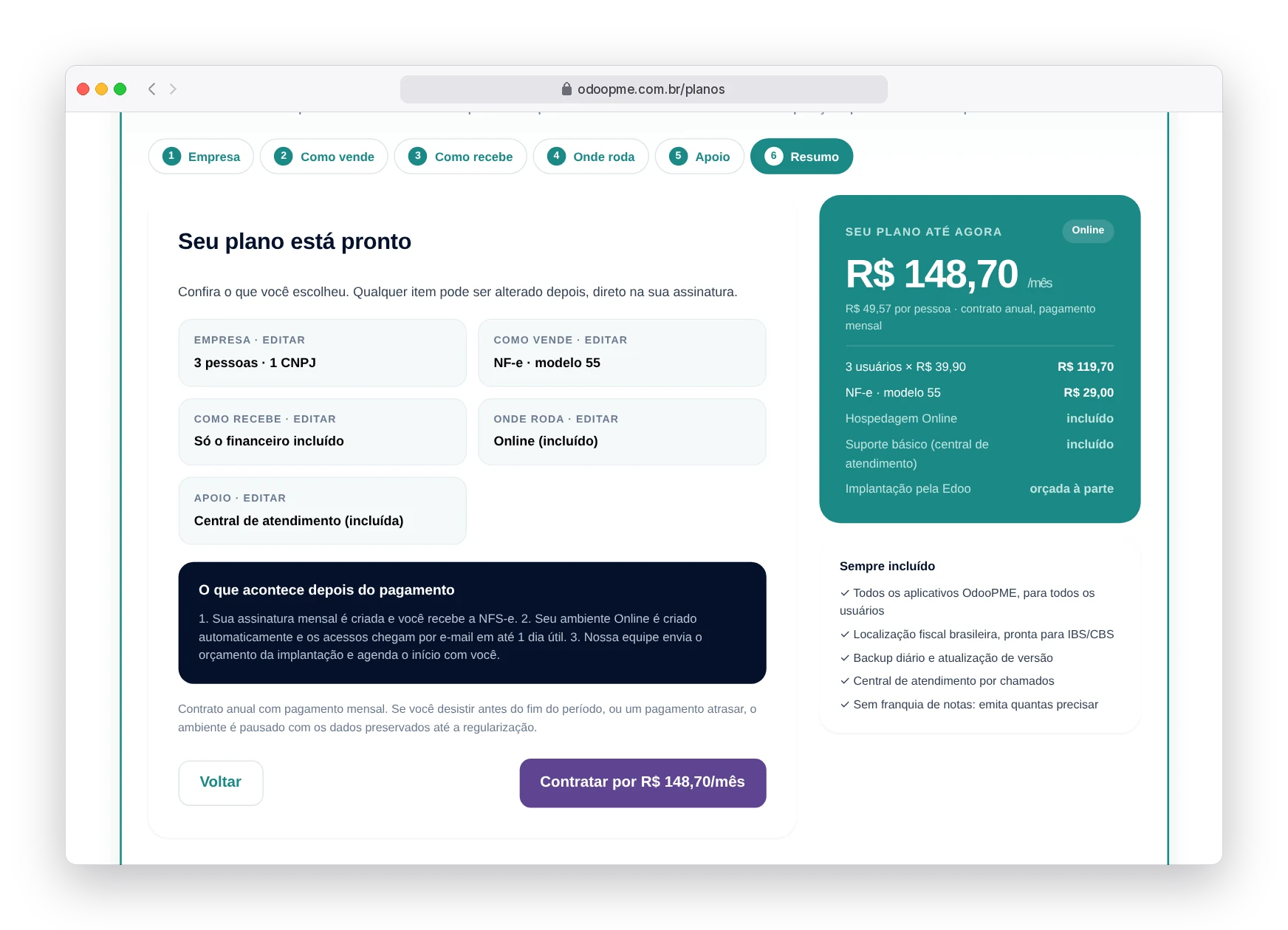
On the Plans page, the simulator asks five questions in business language and the price shows up in real time on the side. You don't need to know module names.
- Company — how many people use it and how many CNPJs
- How you sell — NF-e, NFC-e with POS or NFS-e, only what you issue
- How you get paid — bank slips, Pix and bank reconciliation
- Where it runs — Online included or a Dedicated server
- Support — help desk included or 4 h, 6 h or 8 h packages
Example on the screens: the minimum plan, with 3 users, 1 CNPJ, NF-e, Online hosting and basic support, for R$ 148,70 per month.
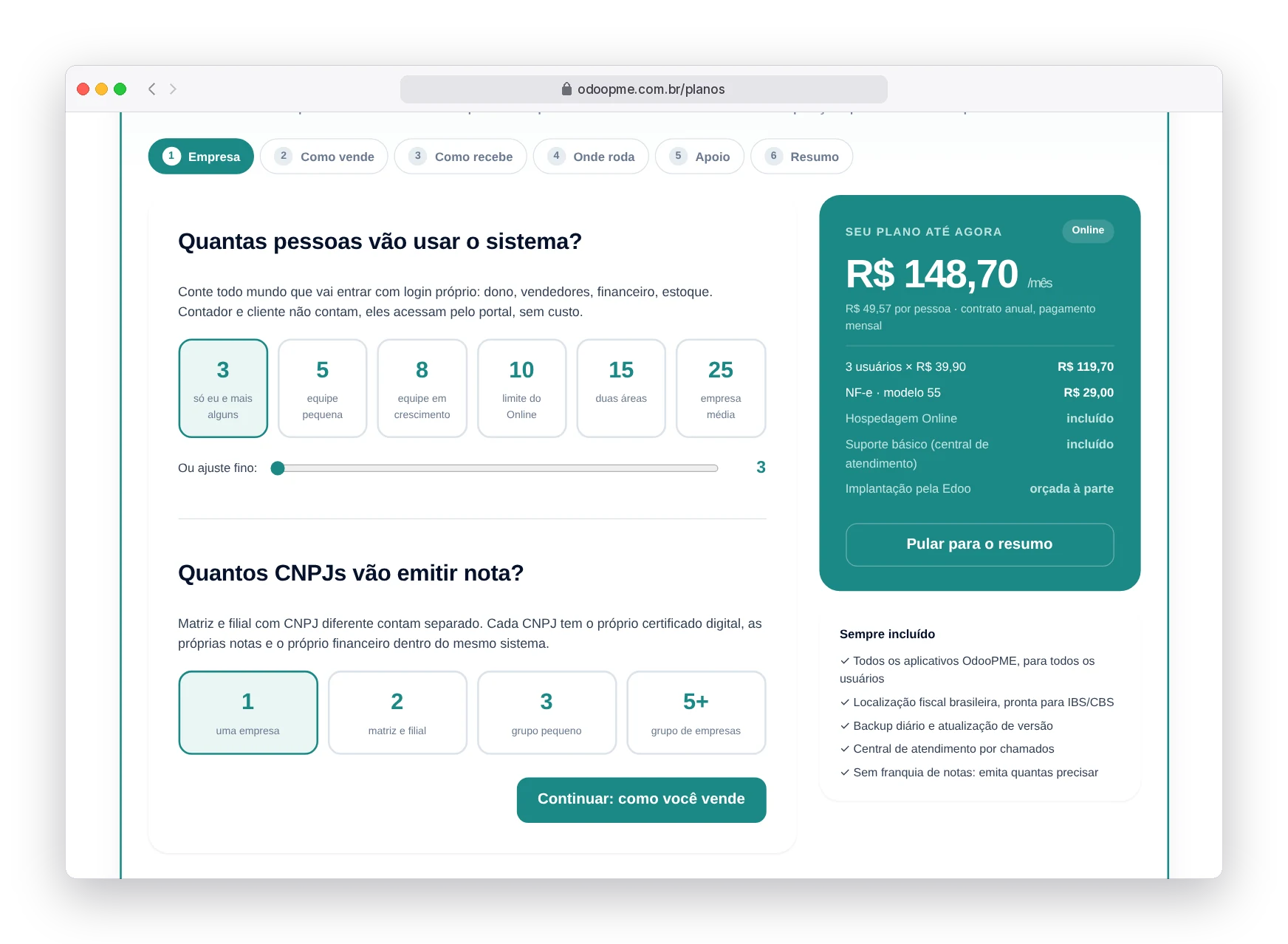
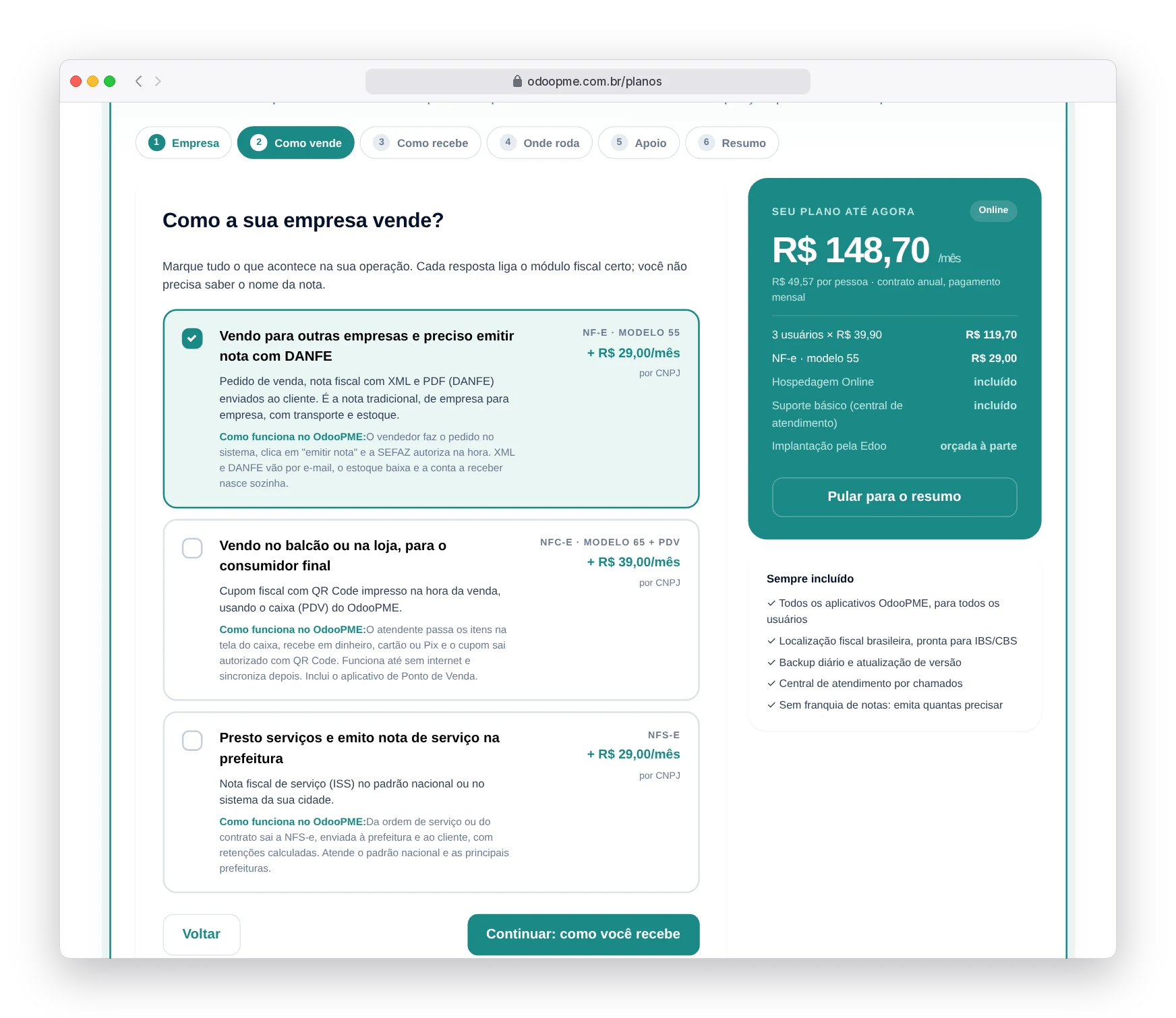
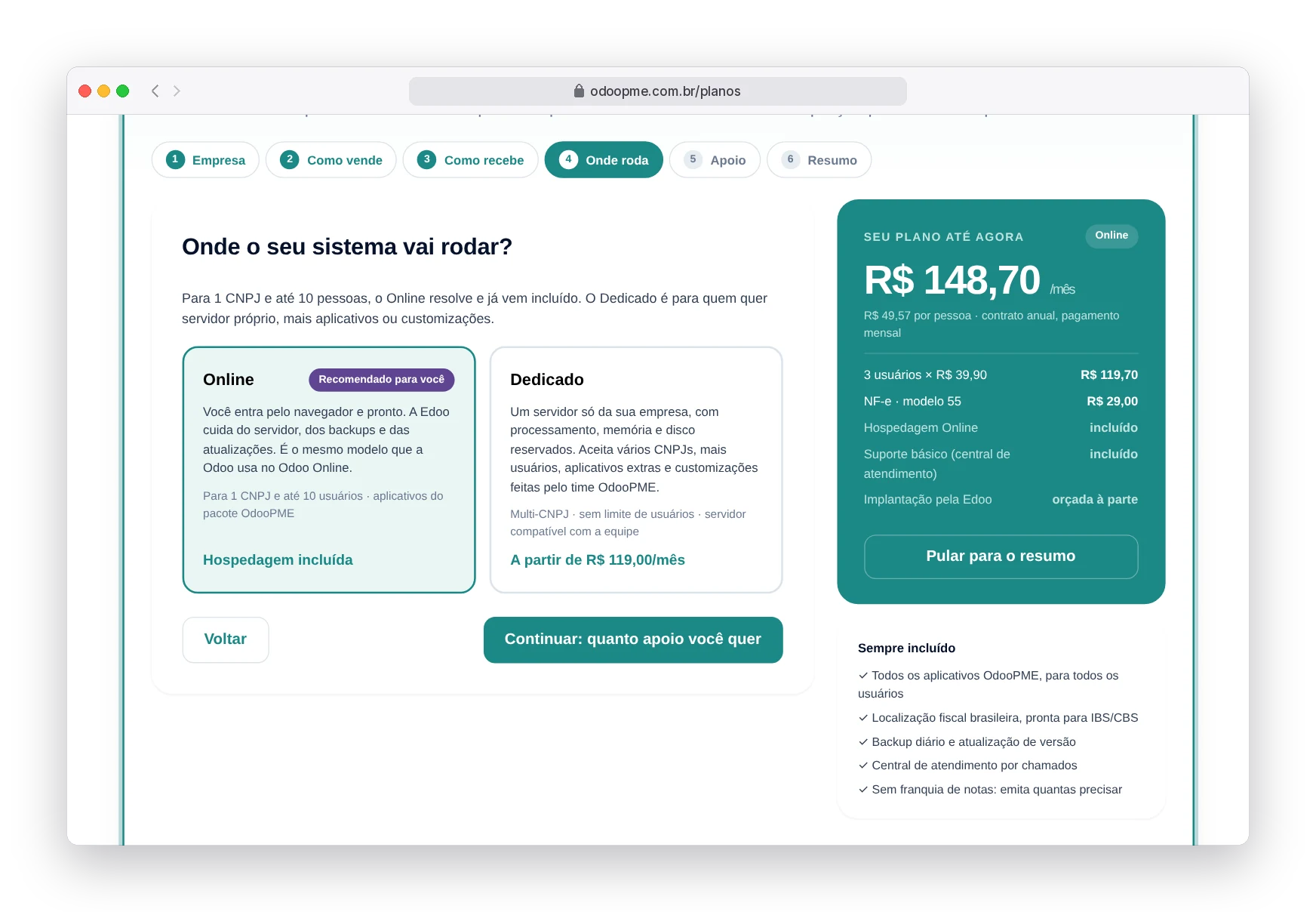
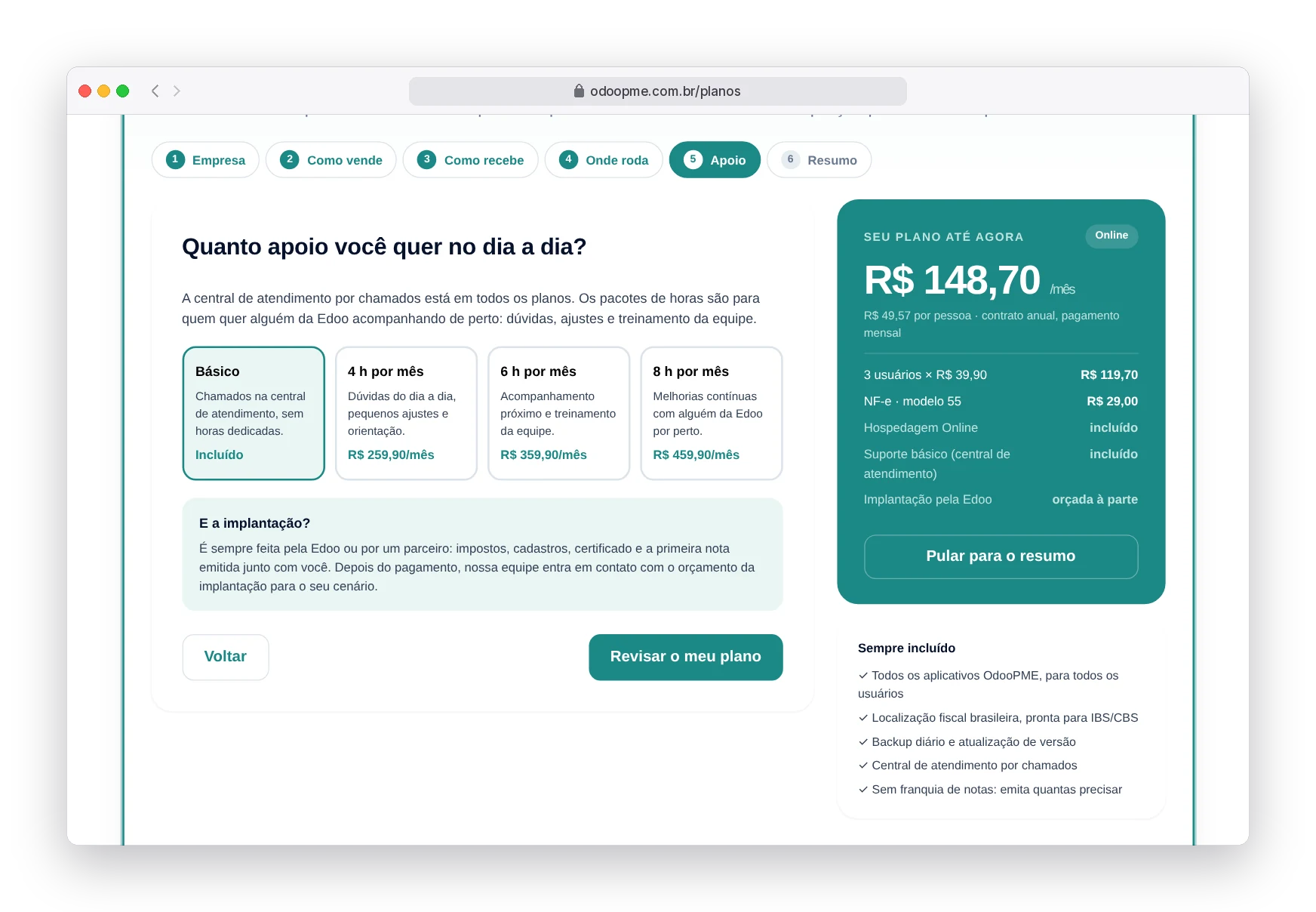
Review the summary and the cart
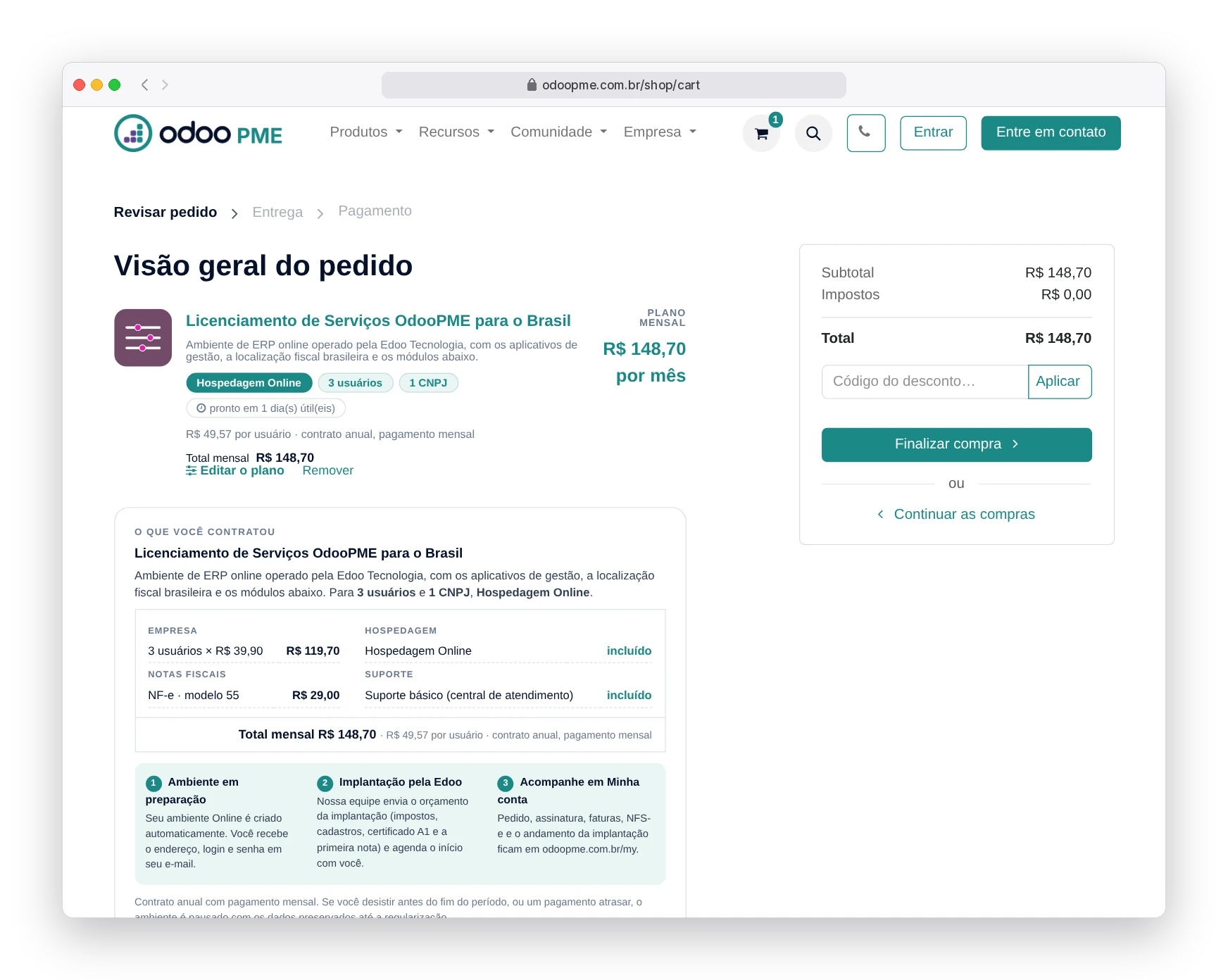
The last step of the simulator shows the whole plan and what happens after payment. When you click Subscribe, a single line goes to the cart: the plan with its monthly price, the contract terms and the next steps.
- One cart line with the whole plan, priced per month
- The Edit the plan link takes you back to the simulator
- Annual contract with monthly payment, shown before you pay
Identify your company by CNPJ
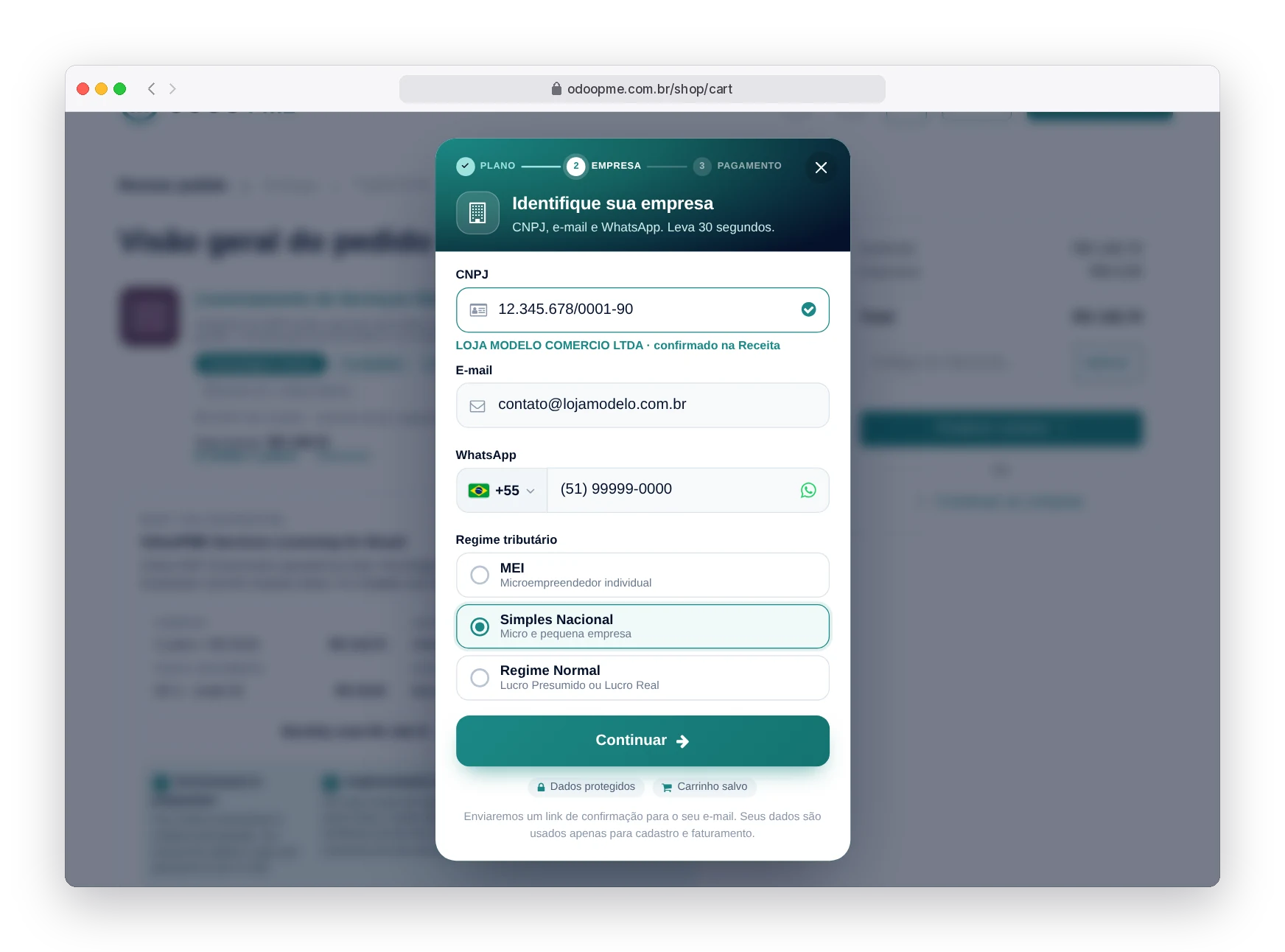
On the way to payment, a quick sign-up asks for your CNPJ, email, WhatsApp and tax regime. The company name and address come straight from the Receita Federal — you don't type in the company's details.
The regime you enter sets the fiscal position of your environment: the taxes on your invoices are already calculated according to your tax regime, with no manual setup.
- Company name and address filled in automatically
- Confirmation link sent to the email provided
- No password to create: access comes through the link itself
If the CNPJ is already registered, no data is shown on screen: the access link goes only to the email already on file.
Pay with Pix and see the confirmation right away
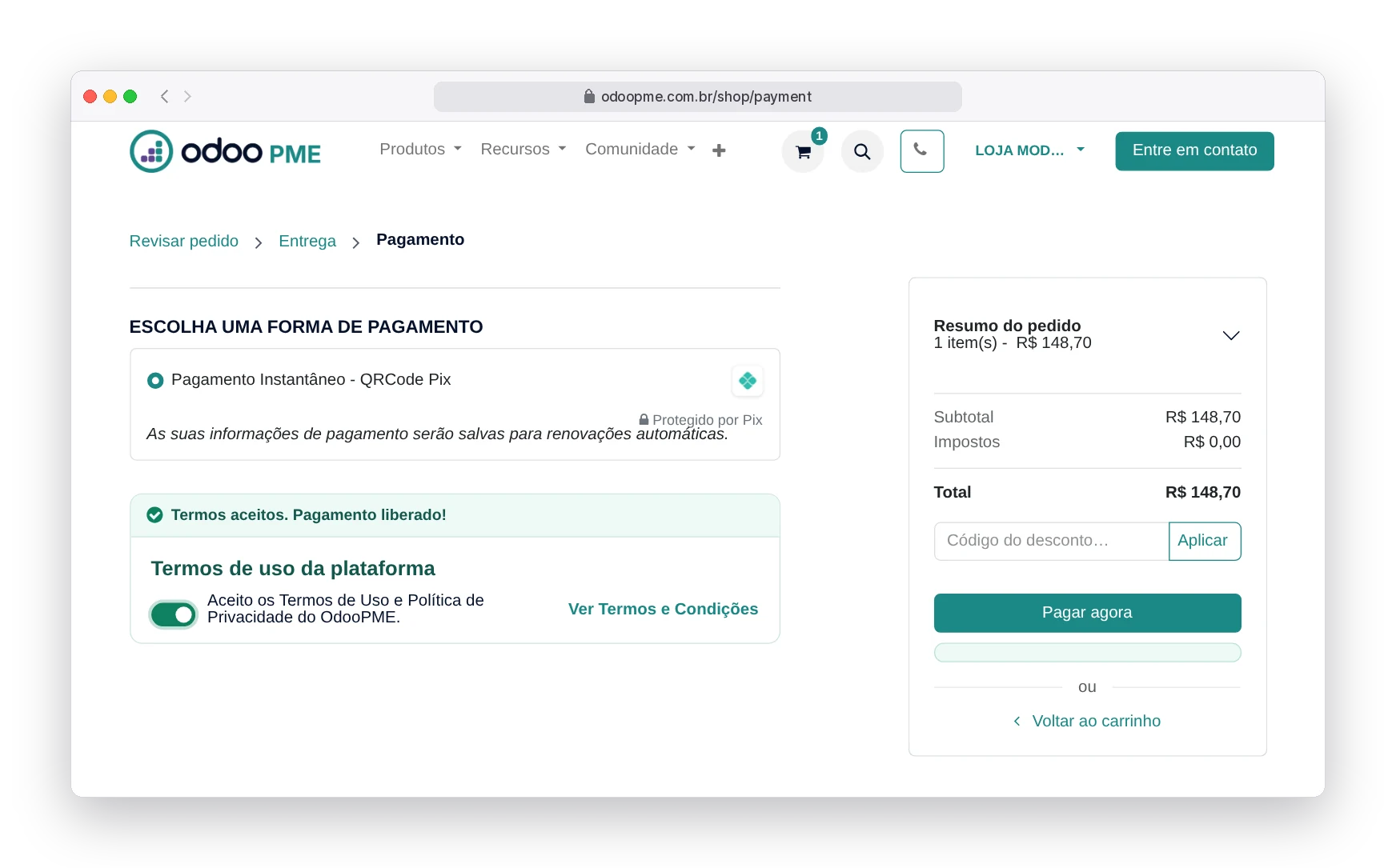
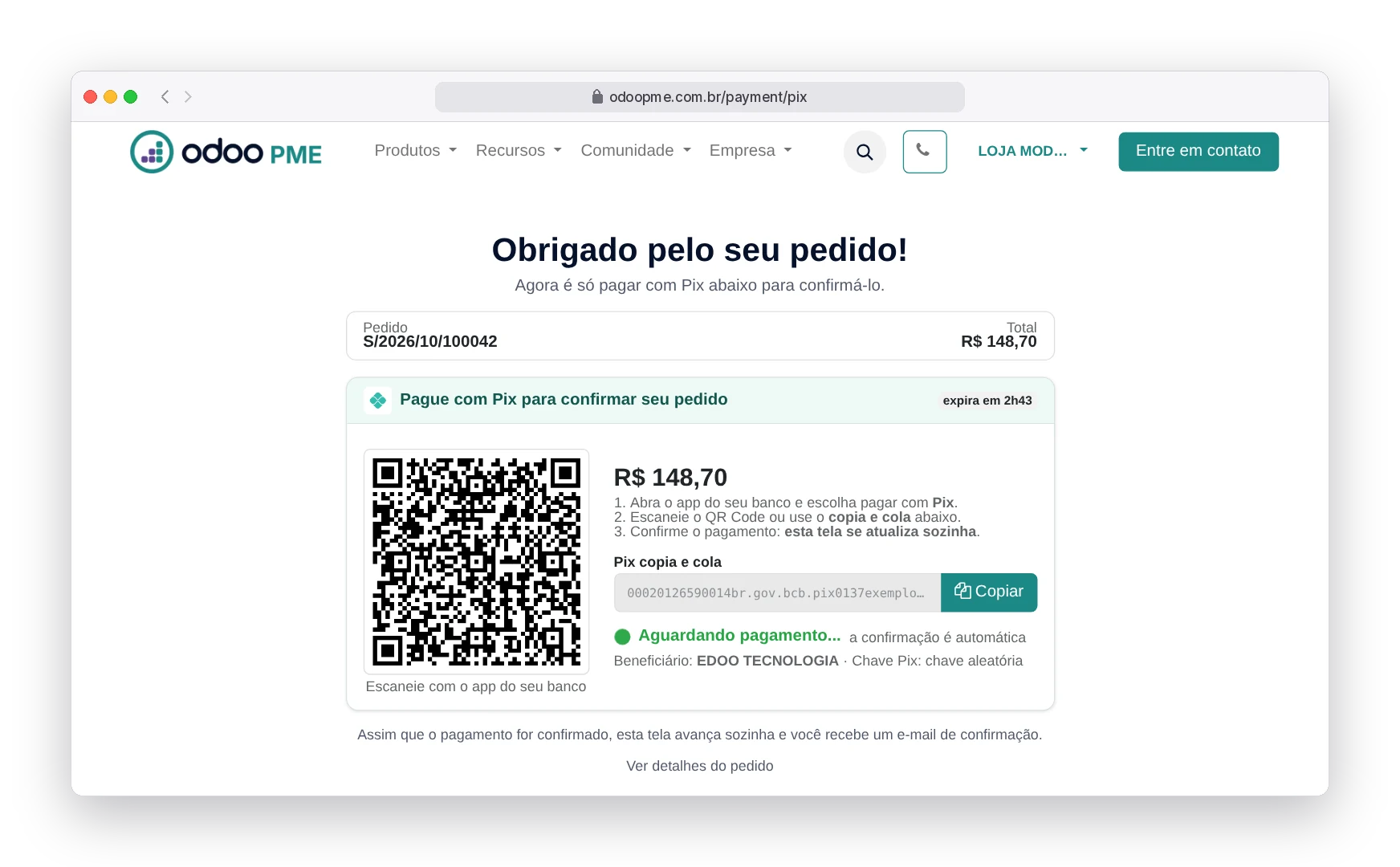
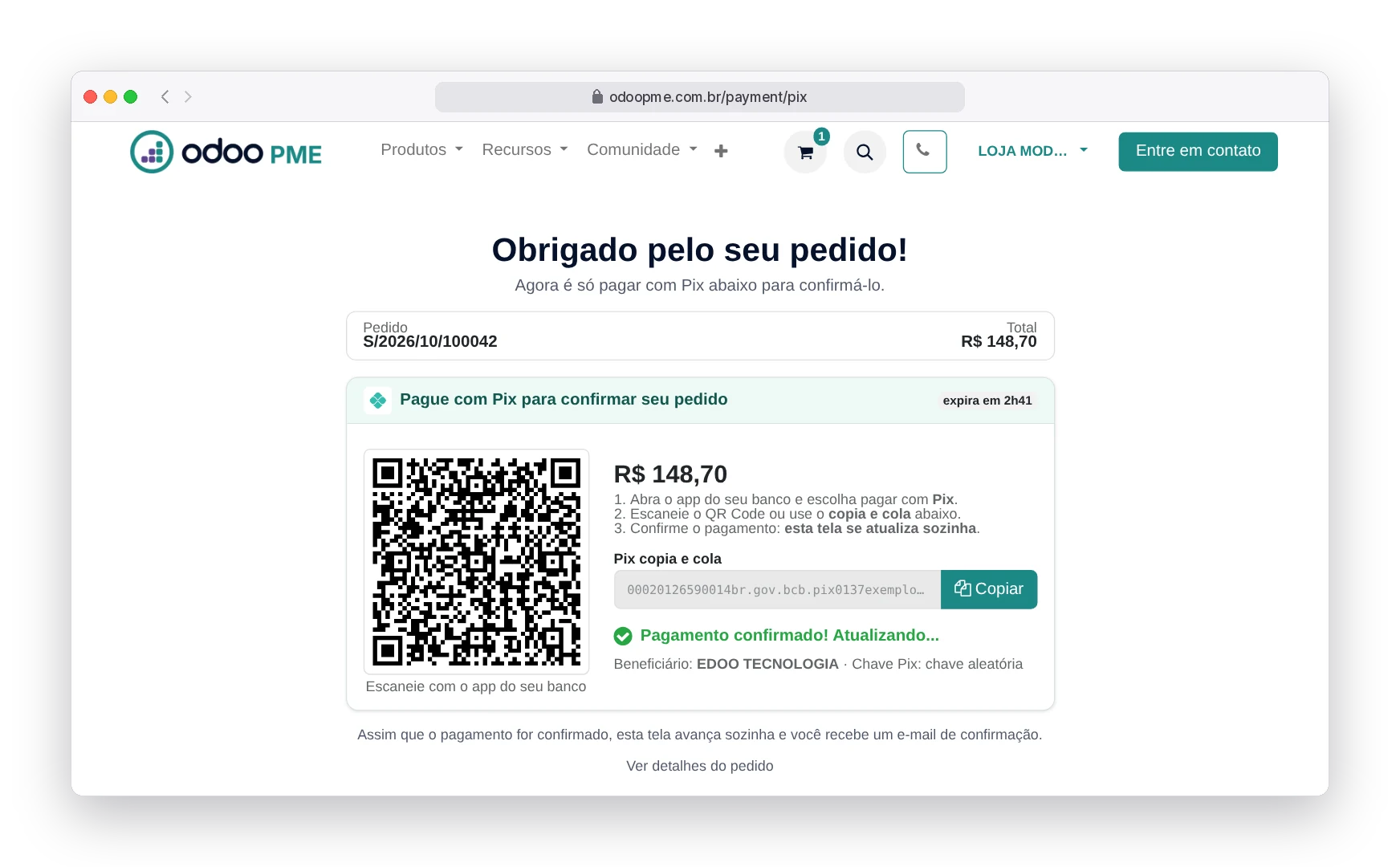
When you confirm, we generate the QR Code instantly. Scan it with your bank's app or use Pix copy and paste. The screen updates by itself as soon as the payment lands — no need to send a receipt or refresh the page.
- QR Code valid for 3 hours
- Automatic confirmation, no receipt needed
- Confirmation email with the order attached
If it expires, nothing is charged and your cart stays saved: just generate a new Pix.
Payment confirmed. What now?
The final screen shows exactly what happens from there — no open-ended "wait for contact".
- Environment setup Our technical team prepares your environment and sends the access details by email.
- Service invoice Our finance team issues the order's NFS-e and sends it as soon as the city hall processes it.
- Follow-up and support Order, invoices and subscription are available under My account.
Frequently asked questions about subscribing
Which payment methods do you accept?
Subscribing through the website is done via Pix, with automatic confirmation. For boleto or monthly invoicing with payment terms, talk to us before completing the order.
How long until my environment is ready?
After the Pix is confirmed, the environment is prepared and released within 1 business day. You receive the access details at the email used in the purchase.
Do I need to sign a contract or pay a joining fee?
There is no joining fee. The contract is annual with monthly payment, formalized when you accept the Terms of Use at checkout. If you quit before the end of the term, or a payment is late, the environment is paused with your data kept until it is settled.
Do you issue an invoice for the monthly fee?
Yes. We issue an NFS-e for each monthly fee and email it as soon as the city hall processes the document.
Can I switch plans later?
Yes, at any time and without losing data. The difference is adjusted in the following monthly fee.
What if I need help during the purchase?
Talk to us through the website chat or on WhatsApp +55 51 99252-5268. We also help migrate your current data.
Ready to leave the spreadsheet behind?
Build your plan in the simulator and start today. The whole process takes about 5 minutes.
See plans and pricing