Service and supply contracts, from the sales order to the signature, inside RobSolution
The contract is created from the sales order with the customer data, items, amount and installments already filled in. Each person gets a link to sign on their phone, the system reminds whoever is late and the signed PDF, with a certificate, goes back to the order and to the customer record on its own.
- Created from the sales order
- Electronic signature with certificate
- No separate signing platform
One of the pains we hear most from our customers
Anyone who provides services or supplies goods under contract knows the routine: the sale is closed in the system, but the contract lives outside it, in a text editor, in e-mail and in yet another paid tool.
Contract copied from the last customer
Someone opens the previous contract and changes name, tax ID, amounts and dates by hand. One missed field and the document goes out with another customer’s data.
Chasing signatures by message
Who has signed? Who opened it and did not sign? The answer comes from messages and calls, and the sale waits.
Final version lost in e-mail
The signed PDF stays in one person’s inbox. When finance or legal needs it, nobody knows which version is the valid one.
Yet another tool paid separately
The signature happens on an external platform, with another login, another customer register and no link to the sales order.
Four steps, one system
The legal text is reviewed once, in the template. After that, every sale creates its own contract without anyone typing customer data.
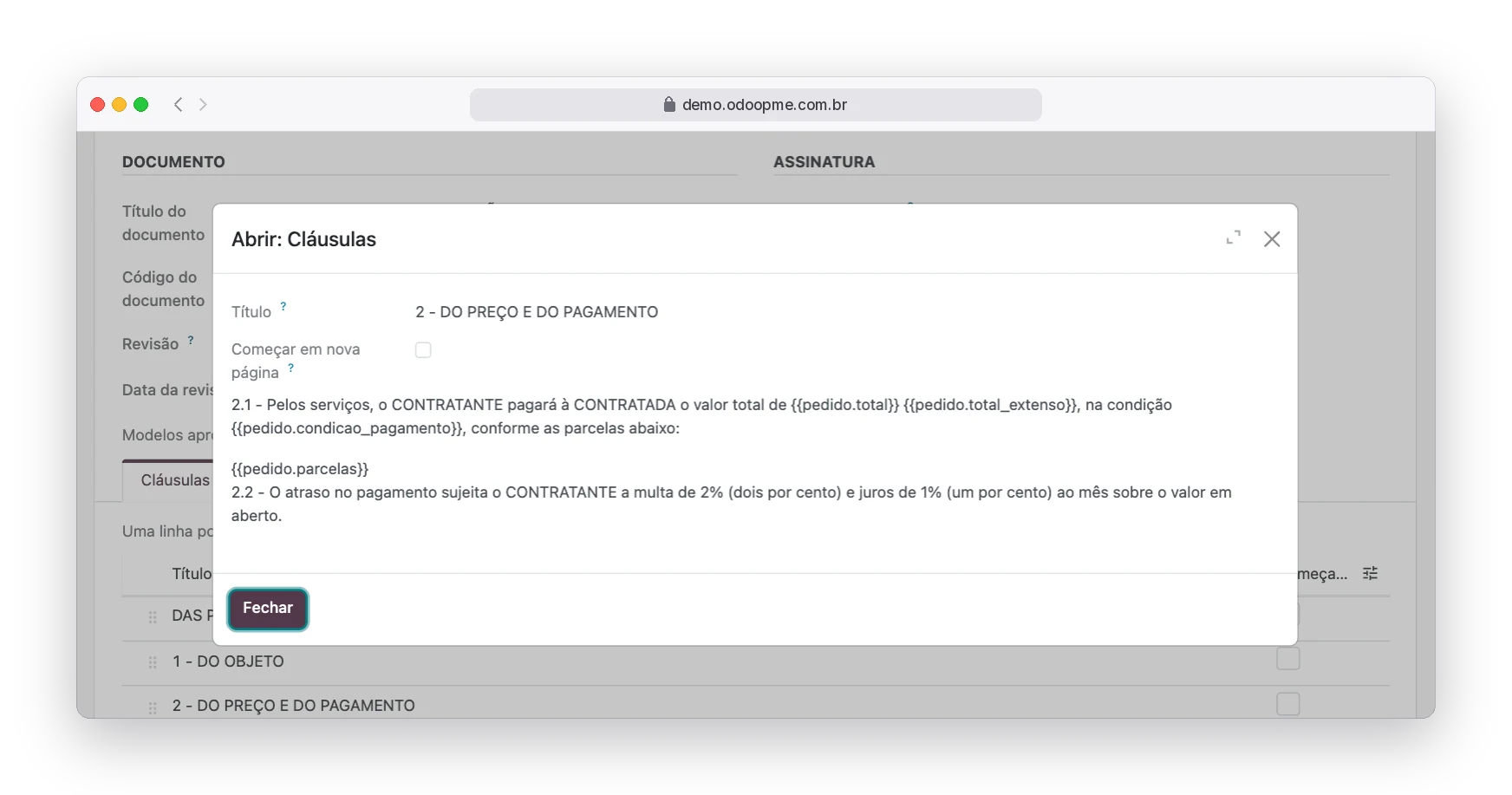
Write the template once
Build the clauses of your contract and use fields between braces, such as the customer name, the total in words and the installment table. The system fills them with the data of each sale. A suggested Service Agreement comes ready for you to adapt with your lawyer.
- Fields from the company, customer, order and contract
- Who signs: customer, salesperson, representative and witnesses
- An approved template is protected against changes
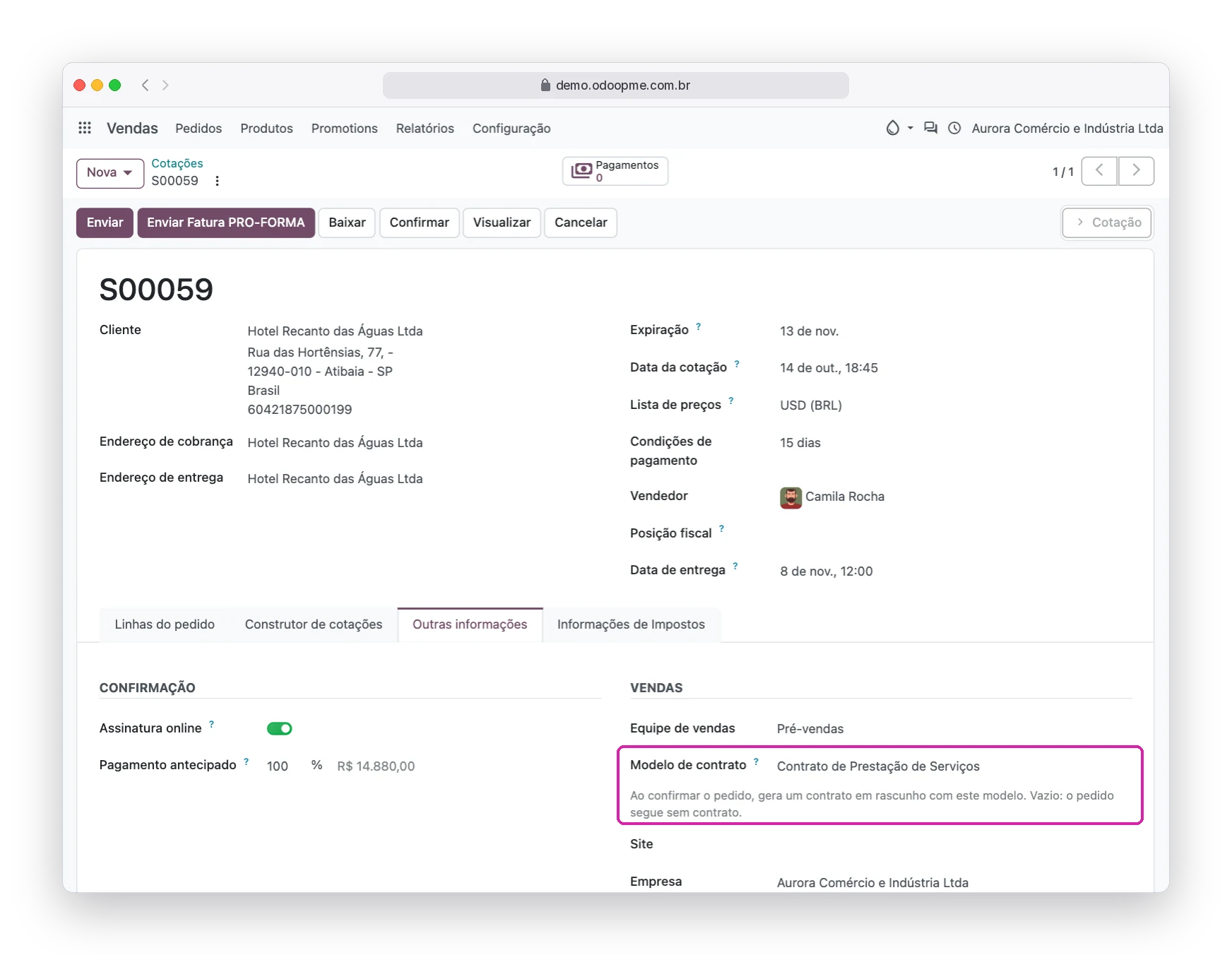
Choose the template on the sales order
On the order, one field says which contract the sale needs. When the order is confirmed, the contract is created as a draft, linked to the order, with the customer, the salesperson and the items. Orders without a template follow the normal sales flow.
- One contract per order, no rework
- Text preview before creating the PDF
- Versioned PDF drafts with your company layout
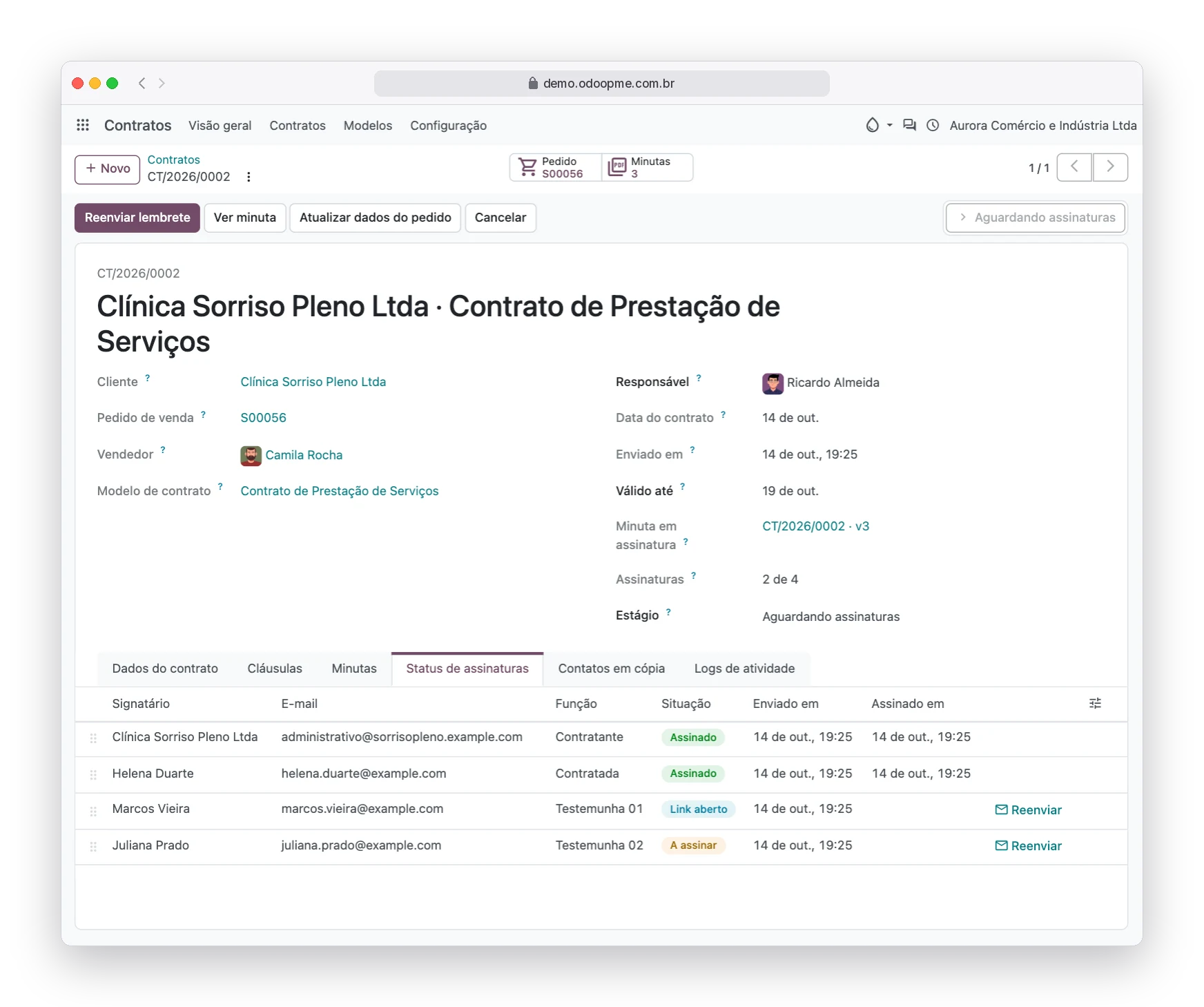
Send and track the signatures
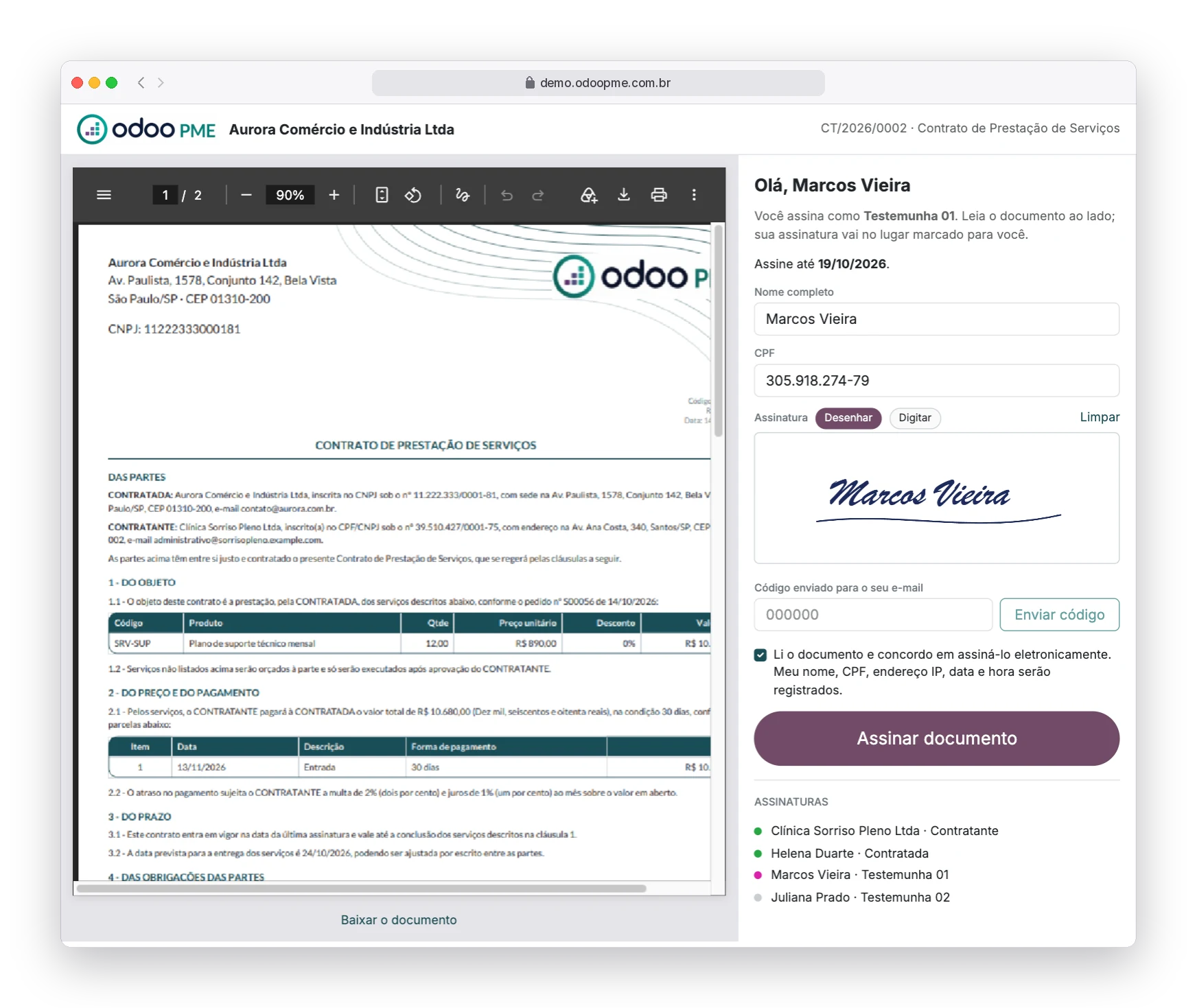
One click sends a personal link to each signer. They sign on their own page, on the phone, without creating an account. You see who has signed, who only opened the link and who has not seen it yet, and resend with one click. Reminders go out on their own until the deadline.
- Drawn or typed signature
- Signing deadline and automatic reminders
- Log of every send, open and signature
Get the signed PDF with a certificate
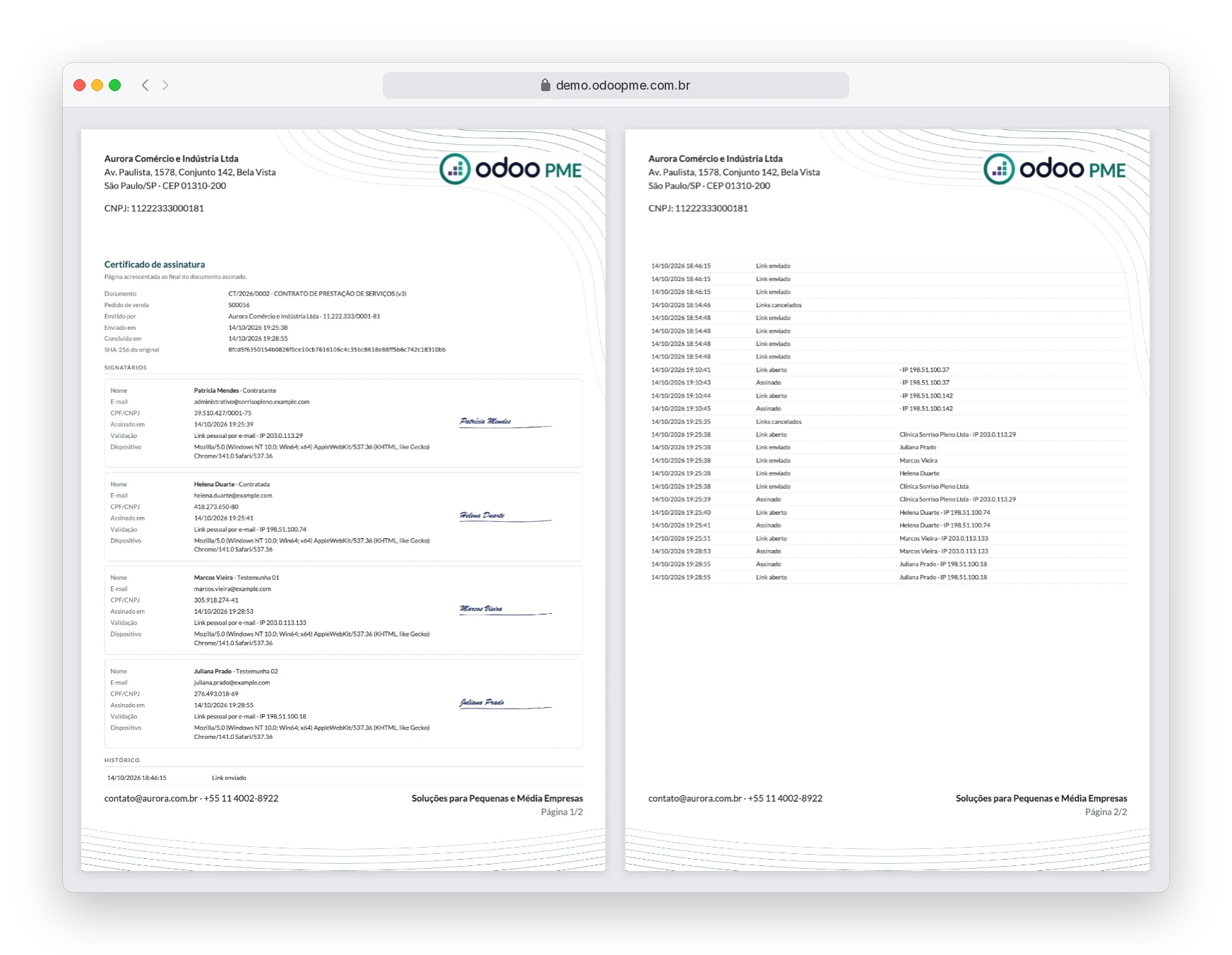
When the last person signs, the system builds the final PDF with each signature in the right place and a certificate at the end: who signed, when, with which e-mail, tax ID, IP and device. The file goes to the contract, the order and the customer, and a copy is e-mailed to everyone.
- SHA-256 fingerprint of the document
- Full history inside the certificate
- Attached to the order and to the customer record
Services provided or goods supplied
It fits any sale that needs a signed agreement before work starts.
Recurring services
Maintenance, technical support, cleaning, security and other ongoing contracts.
Installation and projects
Construction, installations and implementations with scope, delivery date and set installments.
Supply of goods
Sale of equipment, furniture and made-to-order products, with warranty and delivery terms.
Rentals
Rental of equipment and structures, with period, amounts and each party’s duties.
Consulting firms and offices
Fees, scope of work and confidentiality, with witnesses when needed.
Events and tourism
Date bookings, packages and contracted services, with deposit and balance in installments.
You know what is stuck without asking
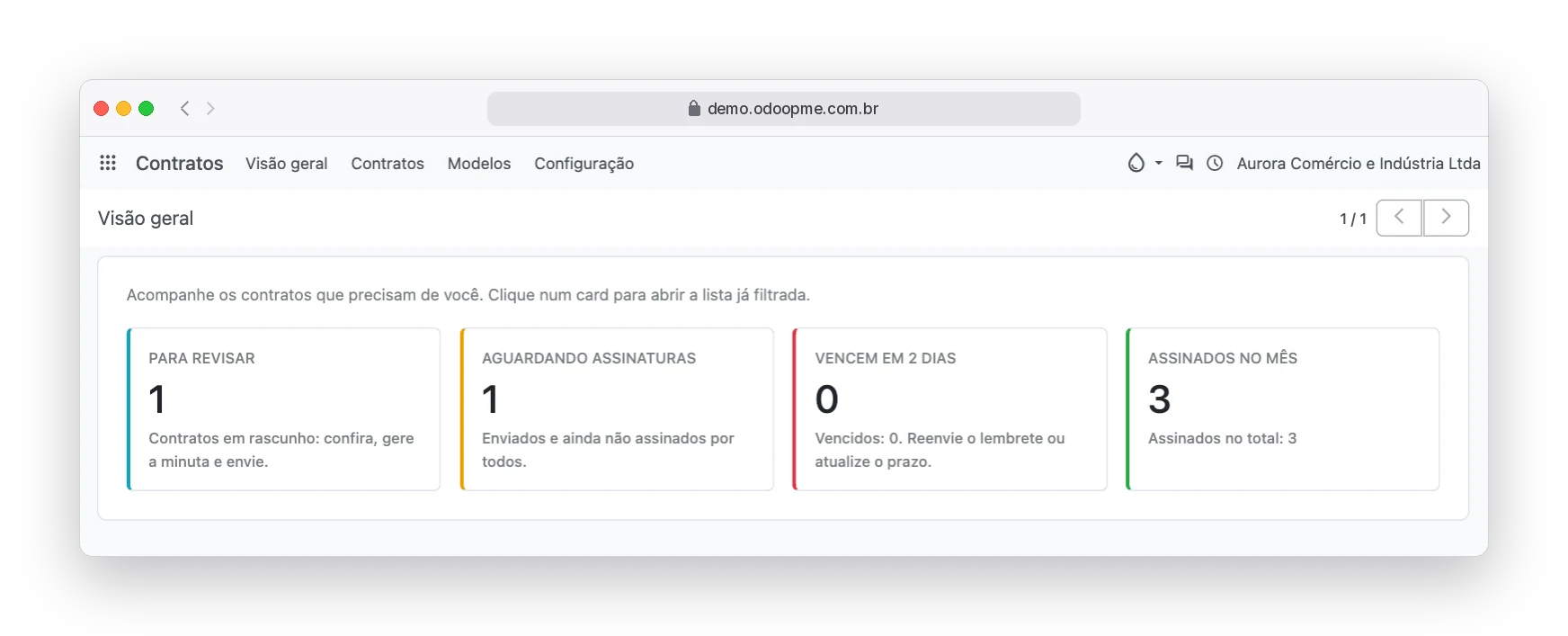
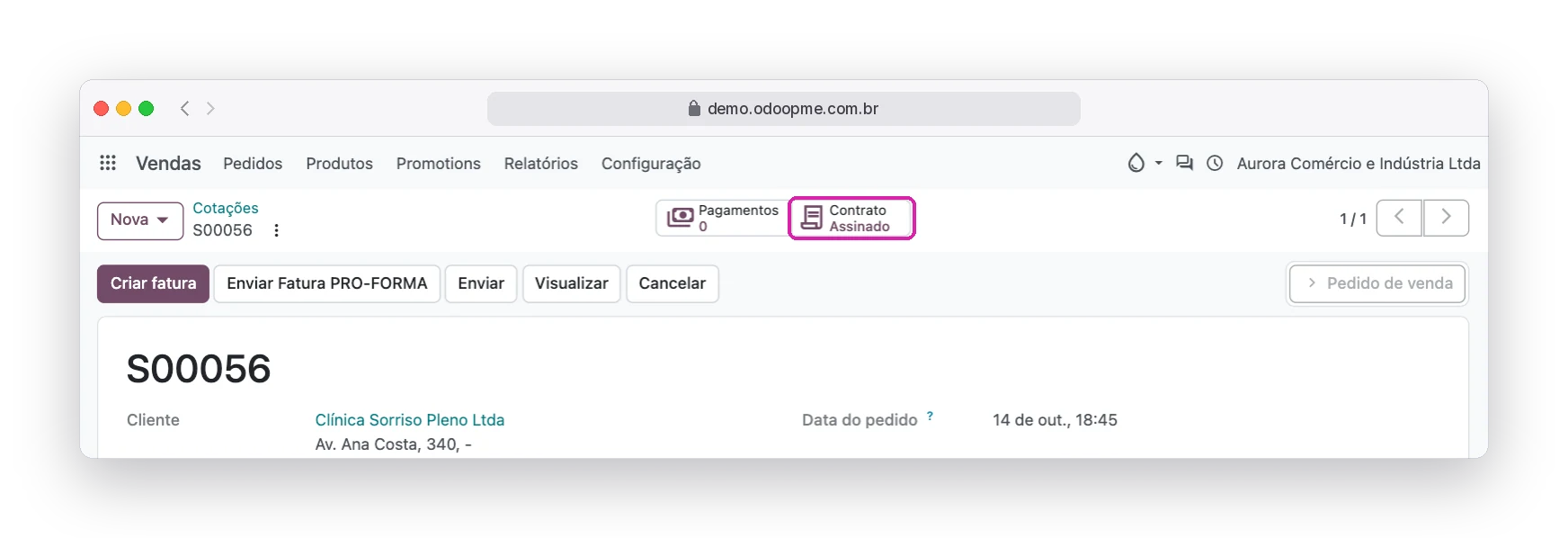
The dashboard shows contracts to review, those waiting for signatures, those expiring in two days and those signed this month. On the order, a button shows the status of the sale’s contract.
Every signature leaves a trail
The record that proves who signed stays in the document itself, not on a third-party platform.
Code by e-mail
Before signing, the person types a 6-digit code sent to their e-mail.
Tax ID checked
The CPF typed is checked against the contact record, when it has one, and printed on the certificate.
IP, date and device
Every link opening and every signature is logged with time, IP and browser.
Sealed document
The SHA-256 fingerprint of the signed PDF shows whether anyone changed the file afterwards.
Questions about contracts and signatures
Do signers need an RobSolution user?
No. Each signer receives a personal link by e-mail and signs on their own page, including on the phone.
Is the electronic signature valid?
Brazilian law accepts electronic signatures agreed between the parties. RobSolution records who signed, with which e-mail and tax ID, when, from which IP and device, and the document fingerprint, all in the certificate. For acts that require an ICP-Brasil digital certificate, use that process; if in doubt, ask your lawyer.
Do I need a signing platform subscription?
No. The signature is part of RobSolution: the link, the signing page, the reminders and the certificate all happen inside the system.
Can I use my own contract template?
Yes. You create as many templates as you need, with your clauses and the fields that fill in automatically. The suggested template is only a starting point.
What if the order changes after the contract is created?
While the contract is a draft, one button reloads the order and customer data and creates a new draft PDF. Every version is kept.
How do I turn it on in my RobSolution?
Contact the RobSolution Tecnologia team through the contact form or open a support ticket. The full documentation is in the help center, under Customer Contracts.
The closed sale comes with the signed contract
Show this feature to your team and stop copying the last customer’s contract.