Inventory auditing with barcodes, straight from your phone
Count your store and warehouse stock by scanning products with the phone camera, a USB or Bluetooth scanner or a handheld terminal. Several people count at the same time, the supervisor reviews shortages and surpluses, and the adjustment goes into RobSolution stock with one click.
- Phone, scanner or handheld
- Several people counting together
- Inventory adjustment inside the system
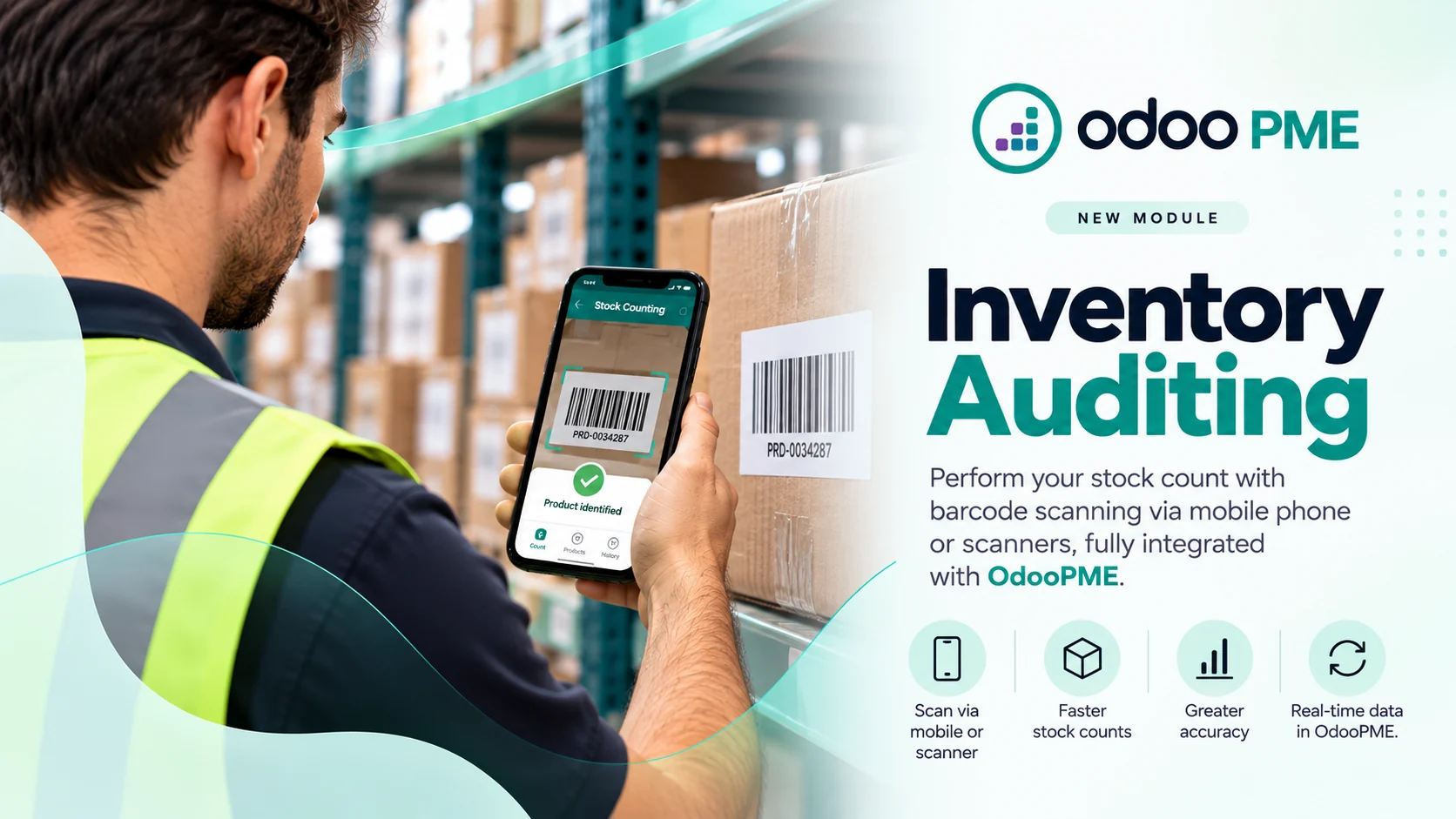
Scan, review and adjust
Counting happens on the shop floor, checking happens on the computer, and stock only changes when someone with permission approves it.
Scan
Each scan adds up instantly, with visual and sound feedback. Codes that are not in the catalog stand out, with a button to register the product right there.
Review
The supervisor sees what the system had, what was counted, shortages, surpluses and the cost impact before approving. The count can be sent back for recounting.
Adjust
When applied, RobSolution creates the standard inventory adjustment, with movement history and respecting the owner of each balance, consignment included.
From the phone to the adjustment, no spreadsheet in between
The Barcodes app opens in the browser of the phone or handheld and talks to RobSolution stock in real time.
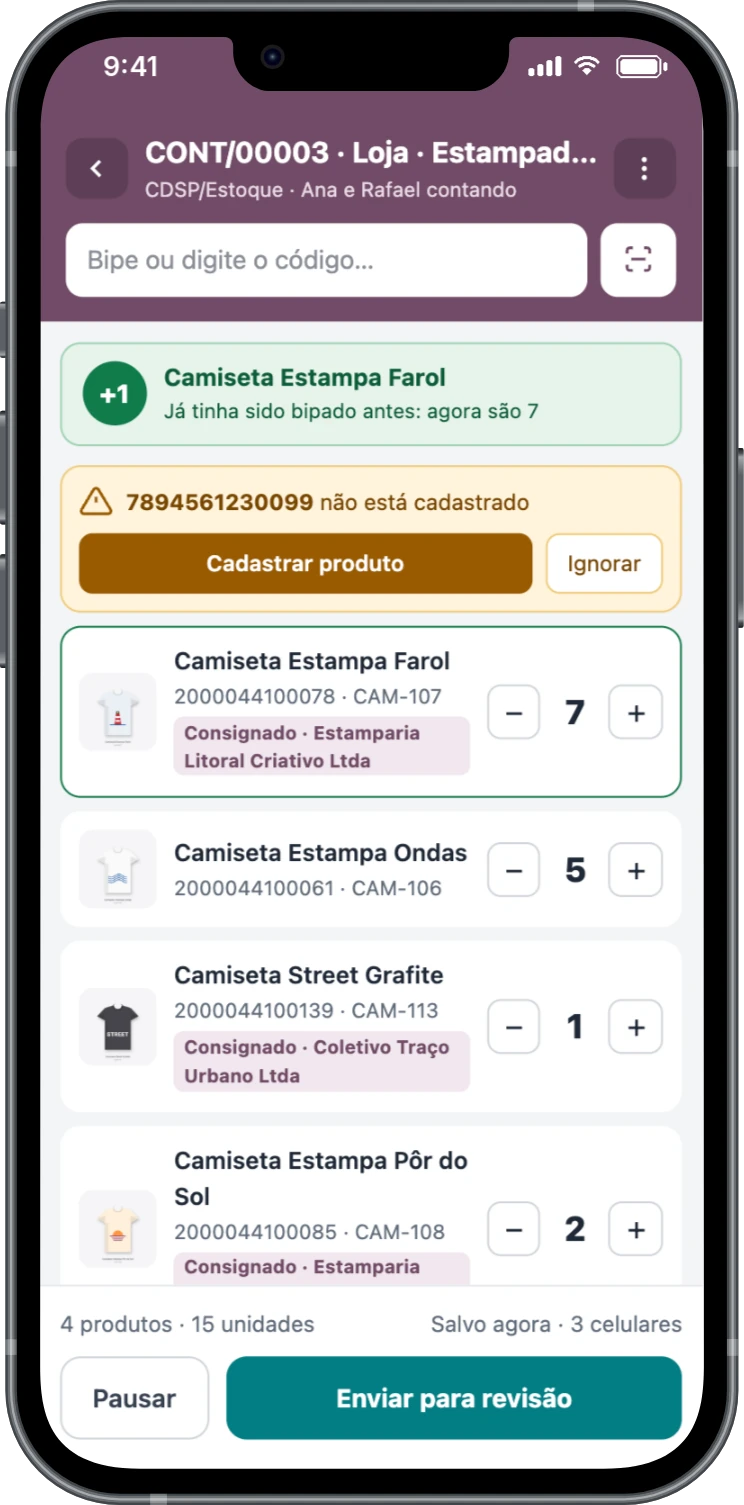
Count with your phone, as a team
Open a count by location or by shelf and bring in whoever will help: every phone scans into the same count and everything is saved on each scan. You can fix quantities with the plus and minus buttons, scan another location label and pause to continue later.
- Alerts for repeated scans and unregistered products
- Shows whether the item is owned or on consignment, and from which supplier
- Continuous camera or a scanner that types and presses Enter
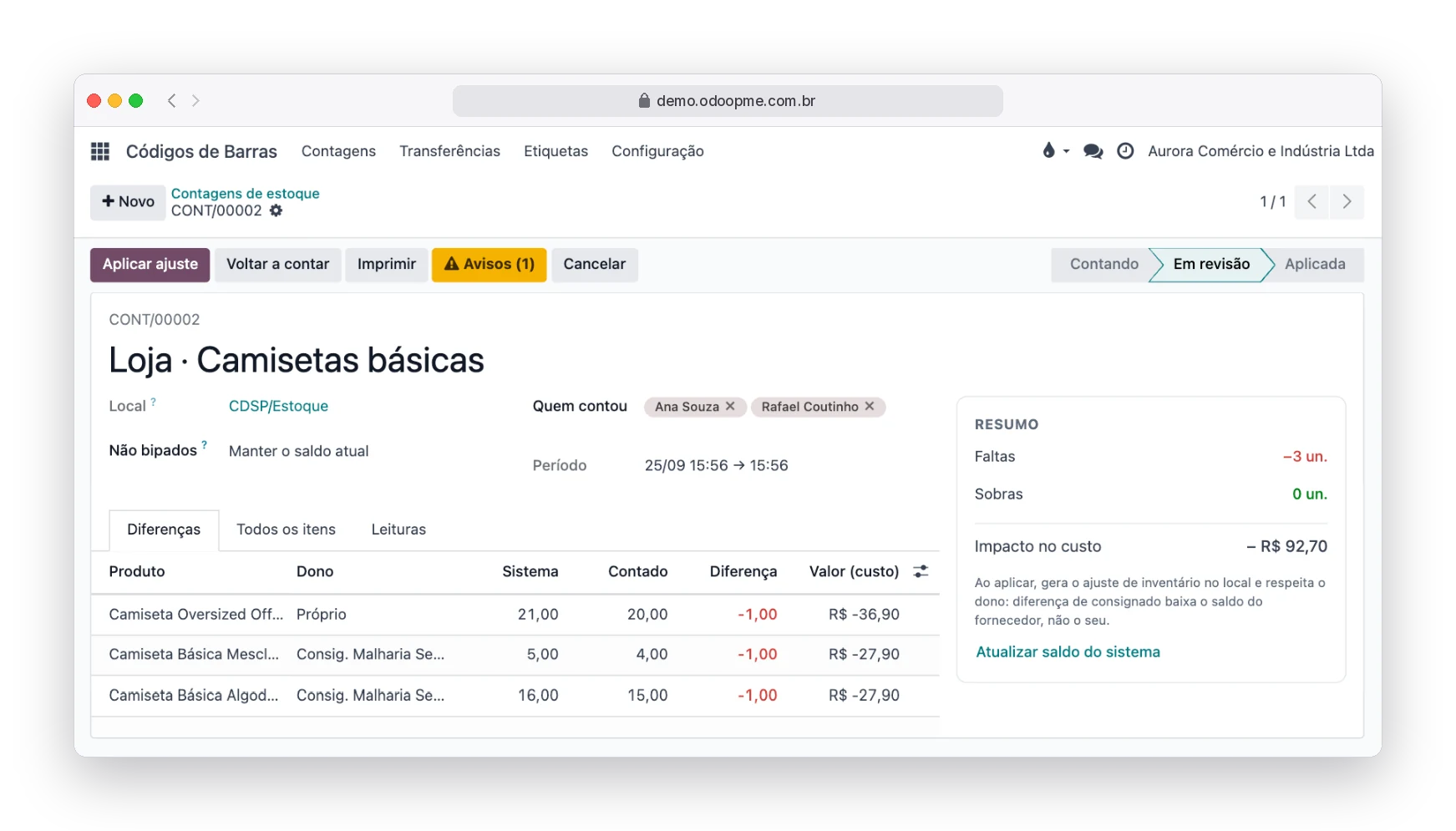
Review shortages and surpluses before touching stock
When the team sends the count for review, the supervisor opens it on the computer: difference by product and by owner, summary of shortages and surpluses, cost impact and warnings about what needs attention. You decide what to do with unscanned items and apply the adjustment, or send it back to be counted again.
- Differences, All items and Scans tabs (who scanned what)
- Unscanned items: keep the current balance or set it to zero
- Count report in PDF for your records
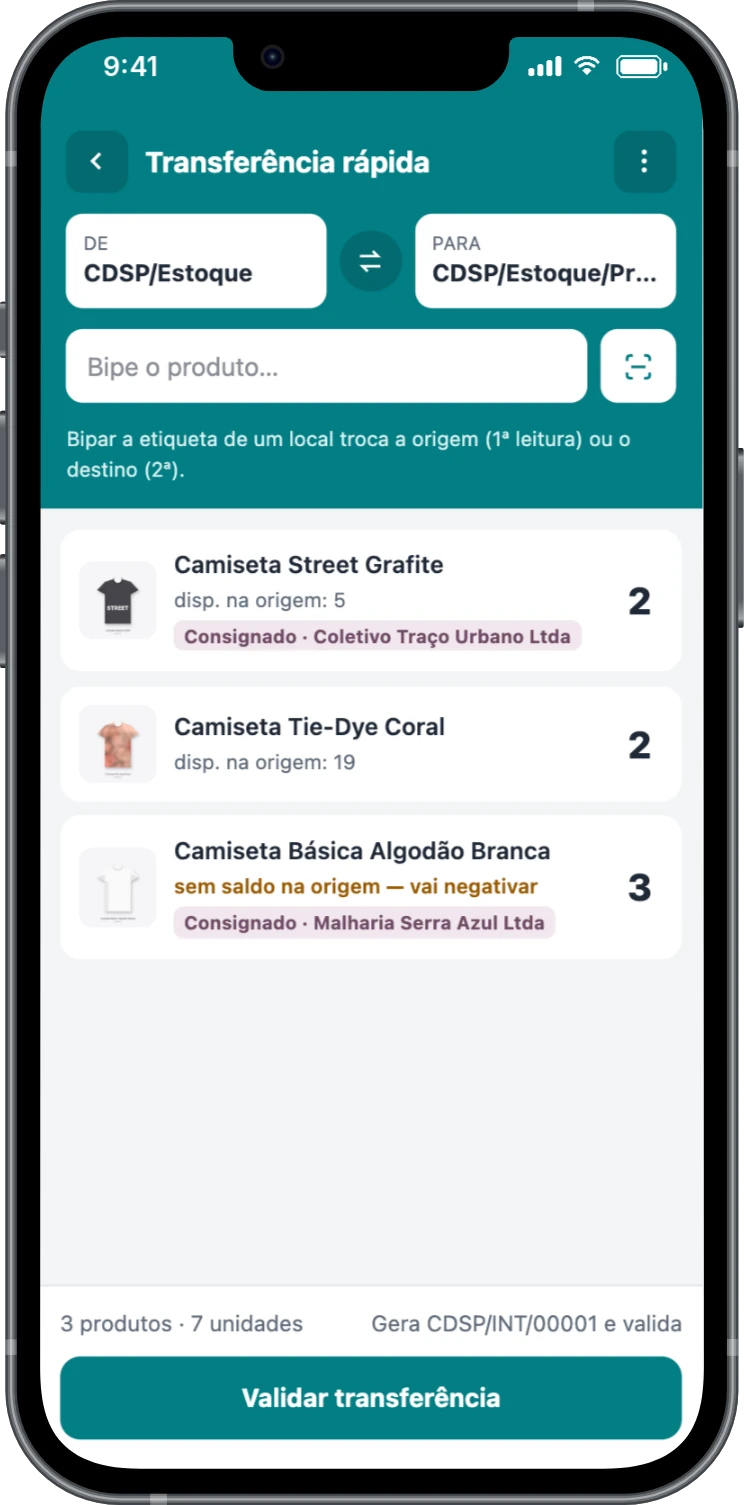
Move stock between locations by scanning
Found a product in the wrong place during the audit? Quick transfer moves it from the warehouse to the shelf, or back, without opening a form. Scan the source location label, the destination label and the products. The app shows the balance available at the source and, when validated, creates the RobSolution internal transfer already completed.
- Source and destination by label scan or tap
- Warning when the source does not have enough balance
- Keeps the owner and lot of the balance that moved
Labels on the printer you already have
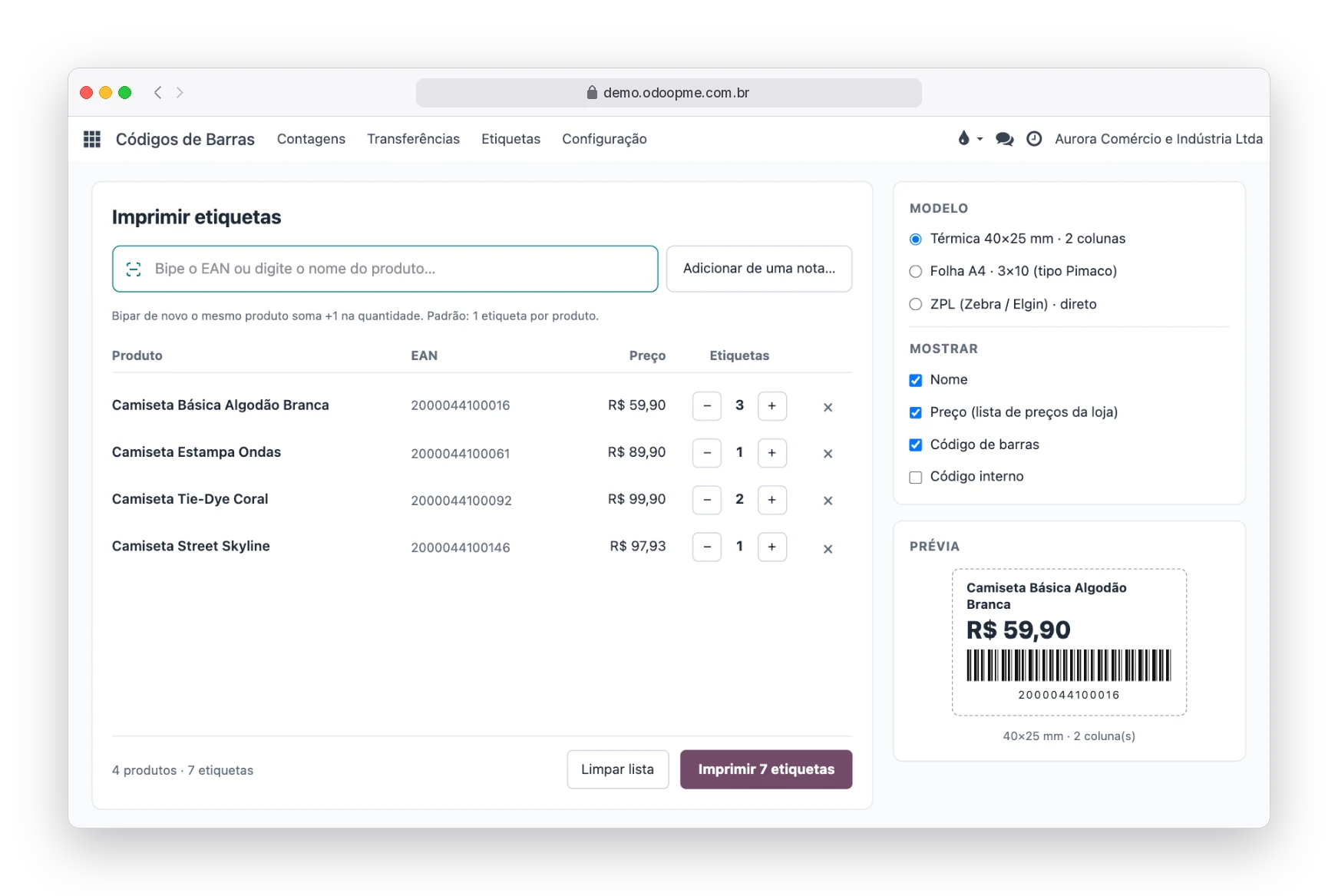
Unlabeled products get in the way of any audit. Build the queue by scanning, from the product list, from a transfer or from an imported purchase invoice, and print with the price from the list you choose. Templates are configurable: size, columns and information.
- Zebra and Elgin via direct ZPL, or PDF for any printer
- Thermal roll or A4 sheet labels
- Asks whether to print labels when importing the invoice XML
Built for stores that work with consignment
With the RobSolution Consignment module, the same scanning screen takes care of what belongs to the supplier.
Blind check on receipt
Scan what arrived without seeing the invoice quantity. The system points out what was missing or came in excess and records it on the document.
Count by supplier
Count only one supplier's consignment stock and adjust their balance without touching your own stock.
Scanned returns
Prepare the return by scanning: the app limits it to that supplier's balance and prevents returning what is not theirs.
Works with what your store already has
No app store install or new hardware needed to get started. When you want more speed, just plug in a scanner.
Phone
Android or iPhone, in the browser, with the camera reading barcodes. You can pin the app to the home screen as a shortcut.
USB or Bluetooth scanner
Any scanner that works as a keyboard, on the counter computer or paired with the phone.
Handheld terminal
Android handhelds with a built-in scanner open the same app, with a screen designed for one-handed use.
Label printer
Zebra or Elgin via ZPL straight from the browser, or any printer through PDF.
Everyone does their part
Three access levels so the audit stays under control without slowing operations down.
User
Counts, transfers, looks up products and prints labels.
Supervisor
Reviews, applies the adjustment, sends the count back or cancels it.
Administrator
Sets label templates and app rules, such as sound, camera and unscanned items.
Questions about inventory auditing
Do I need to close the store to count?
No. Counting can be done by location, shelf or supplier, in parts, and the adjustment is only applied when the supervisor approves. Before applying, you can refresh the system balance to account for what was sold during the count.
Do I need to buy a handheld or scanner?
Not to get started: the phone camera reads the codes. A USB or Bluetooth scanner and an Android handheld make counting faster when volume is high.
Can more than one person count the same location?
Yes. Everyone joins the same count, and each scan is logged with who scanned it and from which device, in the Scans tab.
What happens to stock when the count is applied?
RobSolution creates the standard inventory adjustment, with movements in the product history linked to the count. Consignment balances are adjusted under the supplier who owns them, without mixing with your own stock.
What if the scanned code is not registered?
The screen highlights the code and offers to register the product right away or ignore it. Counting carries on normally.
Which label printers work?
Zebra and Elgin print ZPL straight from the browser, with Zebra Browser Print installed on the store computer. Any other printer prints through PDF, on thermal rolls or A4 sheets.
How do I enable it in my RobSolution?
Contact the RobSolution Tecnologia team through the contact form or open a support ticket. The module is installed in your environment and permissions are set up with you.
System stock that matches the shelf
Show this feature to your team and start your next audit from the phone.